

Facebook Ads is a great way for a lot of businesses to improve their sales and leads. Because it’s such a popular tool, we find a lot of people have set up their own ads. Unfortunately, Facebook’s interface often takes you on a journey that makes it easy to end up with ads that aren’t the best match for your needs
The following 9 issues are things we see in Facebook Ad accounts all the time. Fixing these will not guarantee that your campaign will be a success, but it will let you at least clear the basic hurdle of creating a campaign that has the basics right and that’s easy to measure success for.
1. Stop boosting posts!
It’s a tempting button, isn’t it?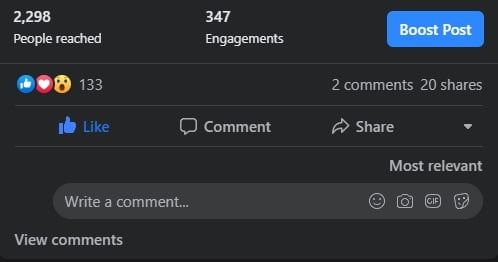
If you click it, Facebook takes you to a self-serve advertising checkout that has a fraction of the options that you have if you go into Facebook Ads Manager and create a campaign. Worst of all, your post will be optimised for engagement. This is fine if you just want a bit of extra branding but most people boost posts wanting clicks to their website or (gasp) sales and leads! This is unlikely to happen if the campaign you’ve built is actually optimised for likes and comments. Also, each post becomes its own campaign in Facebook Ads Manager which is a nightmare to manage and report on.
2. Stop putting text in ad images!
While this is not a hard rule dictated by Facebook any longer, we still recommend sticking to little or no text in images. When in the past ads with more than 20% text were disapproved and paused, too much text is not formally penalised any more. However, and this should come as no surprise, ads that follow the less than 20% text rule tend to perform better than those with excessive use of text. The practice of adding text overlays is often a reluctance to move on from traditional banner ads, but it really isn’t necessary for the digital space. Each Facebook ad format has plenty of text fields and generally that’s where your messaging and calls to action should go. So our recommendation is to use minimal text in your social assets and use all text fields the way they were intended to.
3. Stop optimising for link clicks!
When you create a campaign, you’re asked to select an objective:
This is one of those cases where you need to take Facebook literally and click on the objective that you’re actually trying to go for, because that’s what its algorithm will optimise for. We’ve lost track of how many times we’ve seen an account meant to drive leads or sales that’s running link click ads. You’re telling Zucks to show the ad to eager clickers, not people likely to become an actual customer.
If you have the basic Facebook pixel installed (and if not then you should do this before you advertise on Facebook), then at least optimise for Landing Page Views since then Facebook takes into account whether people actually stay on your website for a reasonable amount of time. But generally you’d want to set up other Facebook pixel events (eg. Purchase or Lead) and then have a conversions campaign optimising for that. It’s worth it.
The main reason to start with a Landing Page Views campaign is if you haven’t got a lot of conversion data but then you’d still be wanting to switch to a conversions campaign asap.
4. Stop creating audiences inside ad sets!
When you create an ad set it gets you to define the audience there and then. Nice, yeah?
The problem is that this encourages you to build new audiences each time you want to launch an ad. However, while your ad messaging (and even campaign objectives) should change with your business lifecycle, you probably have a core set of 5-10 audiences you’re trying to reach.
It’s much better to create them as Saved Audiences in the Audiences page and then add them to ad sets. The advantages:
- If you’ve made a long interest list you don’t have to type it again in a different ad set. We’ve seen lots of missed opportunities from inconsistent audiences from typos.
- Multiple ad sets in different campaigns (eg. with different objectives) can refer to the same audience. If you change it inside Audiences once, it updates all the ad sets automatically.
5. Stop bombarding your best customers with incessant ads!
I bet you get annoyed if you see the same ad a million times in your Facebook feed. This is what will happen to your page fans if you don’t explicitly exclude them. Here’s how to do it:
The reason is that your page fans are usually a very engaged segment of your audience, so if you’ve asked Facebook to show your ad to people who include your page fans it is being incentivised to repeatedly show the ad to them and not new audiences because it can see your page fans are more engaged. This will be annoying.
There are definitely good reasons to advertise to your fans but we recommend this in separate ad sets or campaigns with much lower budgets and perhaps some scheduling parameters so Facebook doesn’t go overboard.
6. Stop using interest targeting only!
It’s tempting to start by using the interests that Facebook gives you. “I’m a dance studio, why not target people interested in Dance?”. The problem is that interest targeting is imperfect and for any single interest Facebook has a decent chance of getting it wrong. To see what Facebook thinks you’re interested in, go to https://www.facebook.com/ads/preferences/. Here are some things it thinks I’m interested in:
- Mortgage broker
- Amazon Web Services
- Bakeries – I mean I eat bread but so what?
- Vodafone – never owned one, don’t know anyone with them
- Lost (TV Series) – never seen an episode
- Time – the concept…why not breathing?
- Refrigeration – ???
The second problem is when you add more interests you’re telling Facebook you want to target someone who matches ANY of these so the errors compound.
The best audiences to start with would be people who are already engaged with you (eg. have visited the website) but haven’t converted yet. The second best are generally lookalikes of your existing customers, whether from a file upload or Facebook pixel. The advantage there is instead of you doing the grunt work of picking specific interests, and being wrong, Facebook can take a lot more factors into account.
Using interests is fine but I would only start once the above audiences are going well. And it usually helps to add in some extra interests to narrow your reach.
For example a small pizza restaurant targeting the interests pizza and dining out without narrowing means it’s trying to show for anyone interested in pizza (inc home cooking) OR dining out (even other cuisines). If it narrows the audience it will then show to people interested in pizza AND dining out: now we’re talking!

7. Stop using link shorteners in ads!
If you’re sending people to a third party website, you can learn how many clicks a link got from Facebook Ads Manager. If you’re sending people to your website, you should be getting this info from Facebook Ads Manager, Facebook Analytics and/or Google Analytics. Shortened links are fine in cases where you’re limited and can’t put the full link in. In Facebook Ads this is not the case.
8. Stop putting links directly in ad text!
Here is a post which uses Facebook’s link preview feature which is how Facebook generally tries to render links:
It’s optimised for Facebook to deliver clicks to the website. It pulls in the hero image, the whole giant rectangle is clickable and so forth. If you’re putting the link directly into the text, you don’t get an image preview, you’d have to manually add an image, and the clickable area is tiny. Not as inviting for a user click.
9. Stop bundling your organic and paid traffic!
If you boost a post then both paid and organic traffic will be clicking on the same link so in Google Analytics you won’t be able to differentiate between the traffic and how it behaved, which is quite important. For this reason we recommend that you create a separate ad (which can use an existing post as the basis):
You can add Google Analytics UTM tags to your Facebook ad in the URL parameters field:
Facebook can even dynamically populate them with text like the campaign name or which property a user is clicking from (eg. Facebook, Instagram, Messenger or Audience Network), more info here.

