
Since many organisations use agencies or other third parties to run their advertising, they may need to provide access to their ad accounts from time to time. This is a step-by-step-guide to show you how this is done, including screenshots!
Everything should be shared through Meta Business Suite. To access it, go to https://business.facebook.com/settings/ where you will see one of 3 options:
Option 1
This is if you haven’t set up a Meta Business Manager before, in which case you’ll be invited to do so. You may need to contact other staff to get all your assets into your BM, if you have any problems let us know.
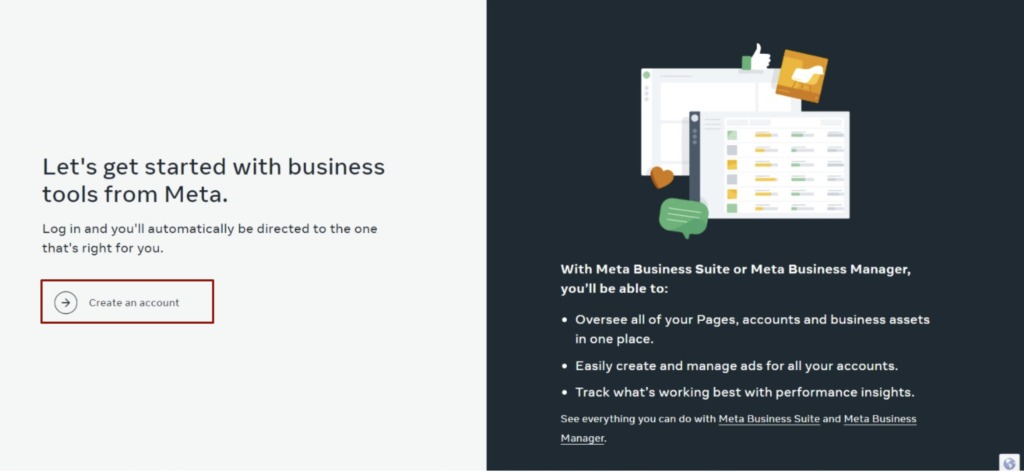
Option 2:
If you’re a member of several Business Managers, you’ll need to choose the most relevant one (or if multiple are relevant, repeat the process for each one), see next slide.
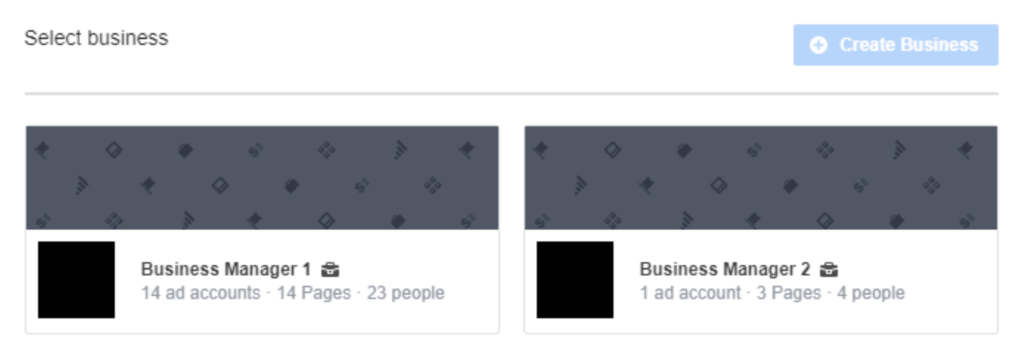
Option 3:
Once you’re inside Business Manager property, you will see the below menu:
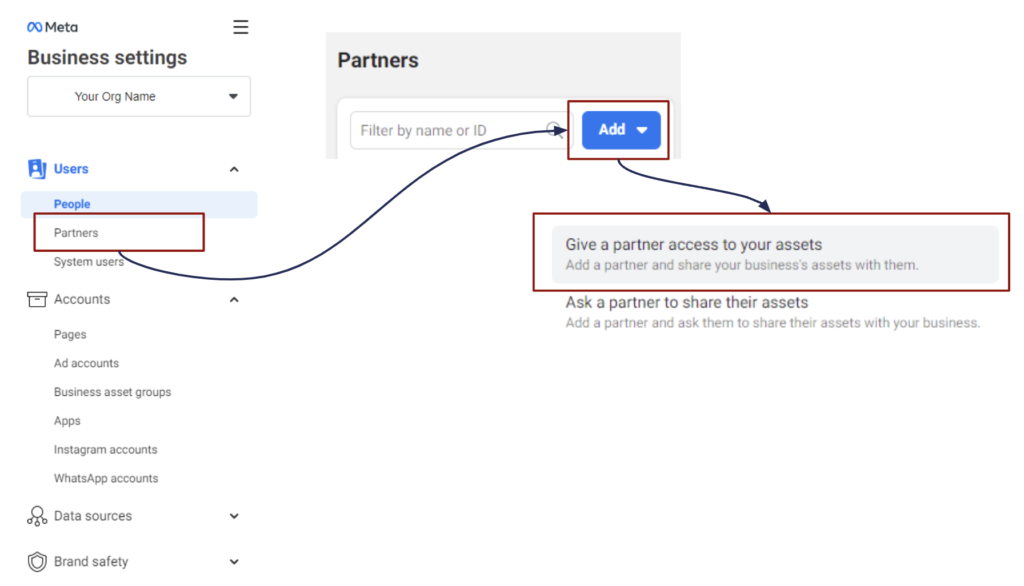
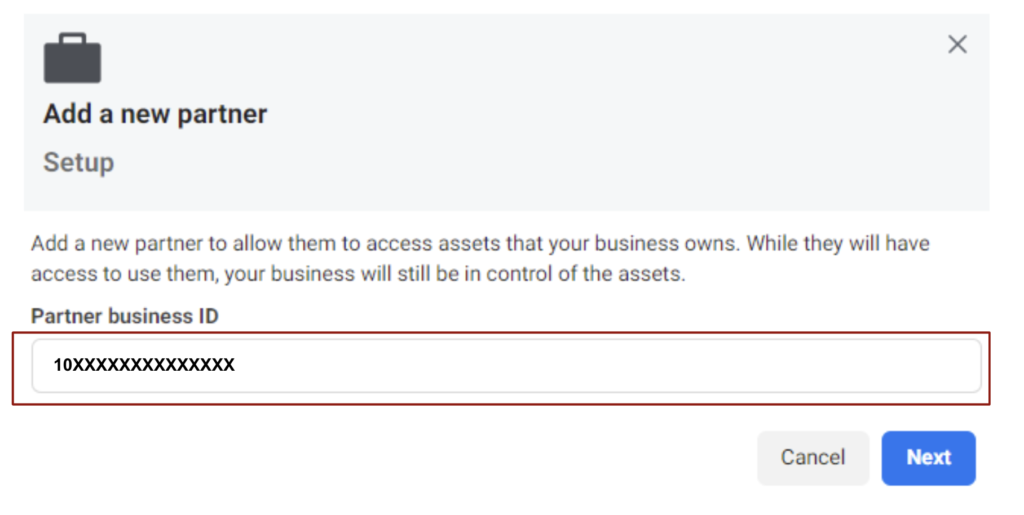
Step 1: Paste in the agency’s Business ID
Step 2: Select the asset types you want your partner to have access to:
Go over the asset types one by one. For each asset type, tick all the relevant assets. This could be one, or multiple pages, multiple ad accounts, Instagram accounts, etc. Then set permissions for all the assets you ticked.
The list of permissions we recommend you to select can be found below the next image.
Finally, at the very end click the button to save your selection.
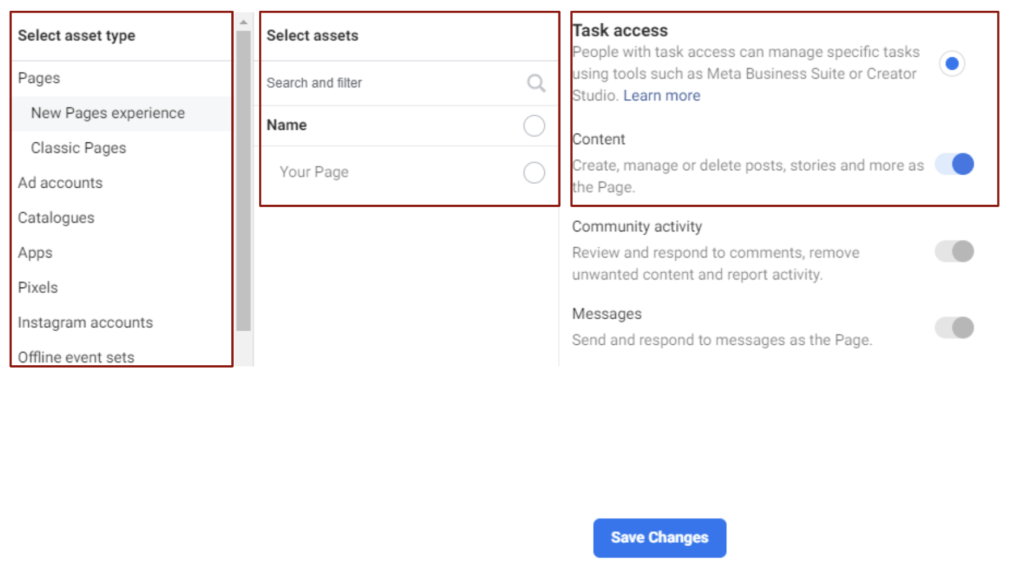
- New Pages experience ⇒ under Task Access enable Content and Ads
- Classic Pages ⇒ enable Content
- Ad accounts ⇒ enable Manage campaigns
- Pixels ⇒ enable Manage pixel
- Instagram accounts ⇒ enable Content and Insights
- Custom conversions ⇒ enable Optimisation, ads reporting and events manager
- Leads access ⇒ grant the highest level you can see
- Domains ⇒ enable Manage domain
- If you have other asset types let us know for the best access level
Step 3: Instagram access must be granted separately
Meta Business Suite requires an agency or other partner to have the actual login and password for any Instagram business accounts in order to manage ads, as well as reporting, on Instagram. The most secure way to share that is to email the username, but send the password through another method, for example:
- A Whatsapp message (since it’s encrypted).
- Using the https://1ty.me/ website to generate a one-time link and send that by separate email.
- In the chat window during a video call.
If you have 2FA enabled on the Instagram account (and you should!), the secret or QR code can also be shared using one of the methods above.
Do not send a single email with the login and password or other credentials together, as this is not secure.
Step 4: Let the agency know and wait for them to accept your invitation
That’s it, your partner should now have full access to manage your ad accounts!

